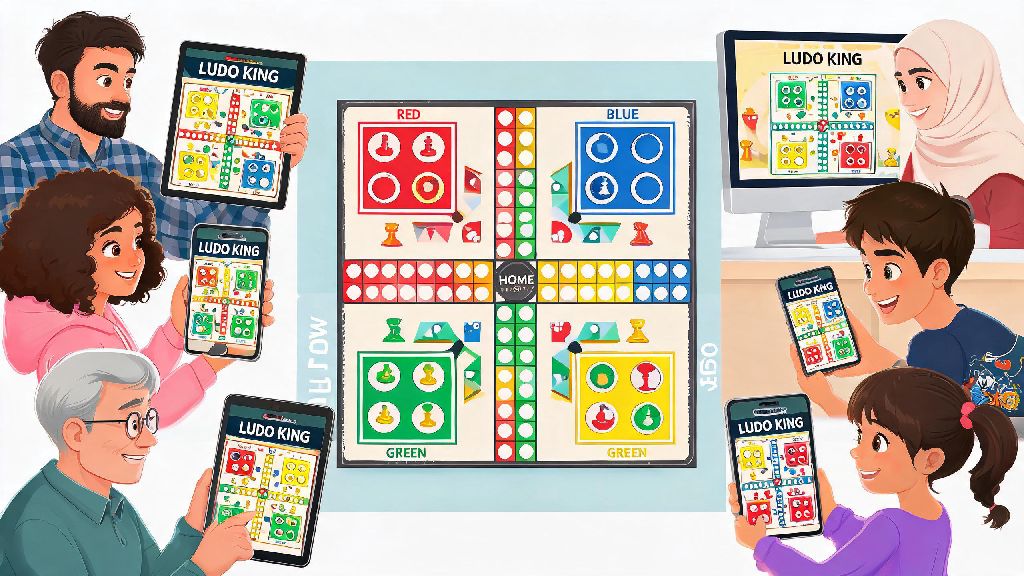
There’s nothing quite like the playful chaos of a ludo match to catch up with friends, even if you’re all scattered across different cities or countries. I used to spend half our scheduled game night fumbling through app menus trying to get everyone in the same lobby, wasting time that could have been spent teasing the friend who always rolls ones. If you’re figuring out how to play Ludo King with friends online, this guide cuts through the confusion with all the tips I’ve picked up after two years of weekly virtual ludo nights with my college crew. You won’t have to deal with random players joining your game or lost lobby codes ever again.
How to Play Ludo King with Friends Online: Step-by-Step Setup
The process is far simpler than most people realize, once you know which menus to click. First, open the Ludo King app on your phone, tablet, or desktop. You don’t even need to create an account if you don’t want to, though making an account lets you save your win streak and customize your token skins. On the home screen, select the Private Multiplayer option, not the public random match option. That’s the mistake I made most often when I first started, and I’d end up paired with random strangers instead of my friends.
Next, select “Create Lobby” to generate a unique 6-digit code. You can share this code directly via text, WhatsApp, Discord, or any other messaging app your group uses. Make sure you tell your friends to enter the code exactly as it’s written, because capitalization doesn’t matter but missing a digit will keep them from joining. Wait for all your friends to show up in the lobby preview before you hit start. You can have up to 4 players per standard lobby, which works for most small friend groups.
If you have more than 4 people who want to play, you can create two separate lobbies and run a small knockout tournament. The winners of each lobby face off in a final match to claim the top spot. I’ve done this for birthday parties with 8 friends, and it’s always a huge hit. Just make sure you assign someone to keep track of scores so no one tries to cheat their way into the final round.
Key Settings to Tweak Before Starting Your Friend Game
Most people just hit start as soon as everyone joins, but adjusting a few simple settings will make your match way more fun for everyone involved. I’ve tested every combination of settings over hundreds of games, and these are the tweaks that make the biggest difference for casual friend groups:
You can also toggle on the “snake and ladder” add-on if you want to mix up the classic ludo rules, but most of my friend group prefers the standard rules so we don’t have to explain new mechanics to people who only play once a month. It’s all about what your group enjoys most, so don’t be afraid to test different settings over a few matches to find your sweet spot.
Troubleshooting Common Issues When Playing With Friends Online
Even if you follow all the setup steps perfectly, you’ll probably run into a few hiccups now and then. These are the most common issues I’ve encountered, and the quick fixes that get us back to playing in under a minute every time.
The most frequent problem is a friend not being able to join the lobby with the code you sent. 9 times out of 10, this is because they’re running an outdated version of the Ludo King app. Ludo King pushes small updates every few weeks to fix bugs, and older versions don’t support newer lobby codes. Ask them to check their app store for updates, and they’ll be able to join as soon as the update finishes downloading. Cross-platform compatibility is usually not the issue here, because Ludo King works seamlessly across iOS, Android, and desktop, so a friend on an iPhone can play with someone on a Windows PC with no extra steps.
Another common issue is lag during matches. If someone’s moves are taking forever to load, or the game keeps freezing, ask them to close any background apps that use a lot of data, like streaming services or video call apps. If you’re all playing while on a group video call, try switching off your cameras to save bandwidth. Ludo King doesn’t need a lot of internet speed to run, but spotty Wi-Fi will cause delays that ruin the flow of the game. I always recommend that people use mobile data if their home Wi-Fi is unreliable, it’s way more consistent for small mobile games like this.
If someone gets kicked out of the game mid-match, don’t panic. As long as you don’t close the lobby, they can re-enter the same code and jump right back in where they left off. Their progress will be saved automatically, so they won’t lose their tokens or their position on the board. That’s a huge relief for anyone who’s ever been about to win and gotten kicked out by a random app crash.
Fun Ways to Make Your Online Ludo King Friend Sessions More Engaging
Once you’ve got the basic setup down, you can add small twists to your matches to make them feel more special, instead of just another casual game. My friend group has been playing weekly for two years, and we’ve come up with tons of little ideas that keep us excited for game night every week.
One of our favorite traditions is adding low-stakes challenges to each match. The loser has to do a silly task, like pick the movie for our next group watch night, bring snacks to the next in-person meetup, or post a silly photo of themselves on their Instagram story. We never make the stakes high enough to be stressful, just silly enough to make everyone laugh when someone loses. Group mini tournaments are another great option if you have a larger group. We run a monthly tournament where everyone plays 3 qualifying matches, and the top 4 players face off in a final for a silly prize, like a custom Ludo King trophy I made out of a plastic cup and glitter.
You can also pair your ludo match with a group video call so you can see each other’s reactions when someone gets knocked out. We always have a video call running in the background while we play, and half the fun is watching the friend who was bragging about winning 2 minutes ago throw their hands up in frustration when they roll a one right before the finish line. If you’re playing for a special occasion, like a birthday, you can even ask everyone to wear the color of their ludo token to the call for an extra silly touch.
Just remember that the point of playing with friends is to have fun, not to win at all costs. I’ve seen people get genuinely upset over ludo matches before, and it ruins the whole point of the hangout. If someone is taking the game too seriously, remind them it’s just a silly mobile game, and the real point is to catch up with each other. I always make a point to let my little cousin win when we play with family, it makes her day and no one cares about the win streak anyway.
At the end of the day, once you know how to play Ludo King with friends online, it’s one of the easiest, most low-effort ways to stay connected with people you care about, even if you’re hundreds of miles apart. You don’t need any fancy equipment, just a phone and 15 minutes of free time to have a good laugh with people you love. My weekly ludo nights with my college friends have become one of my favorite rituals, and I’m still the reigning champion of our group, no matter how much they complain about my lucky dice rolls. Grab your friend group, send out a lobby code, and see who gets to claim the Ludo King crown for your next match.