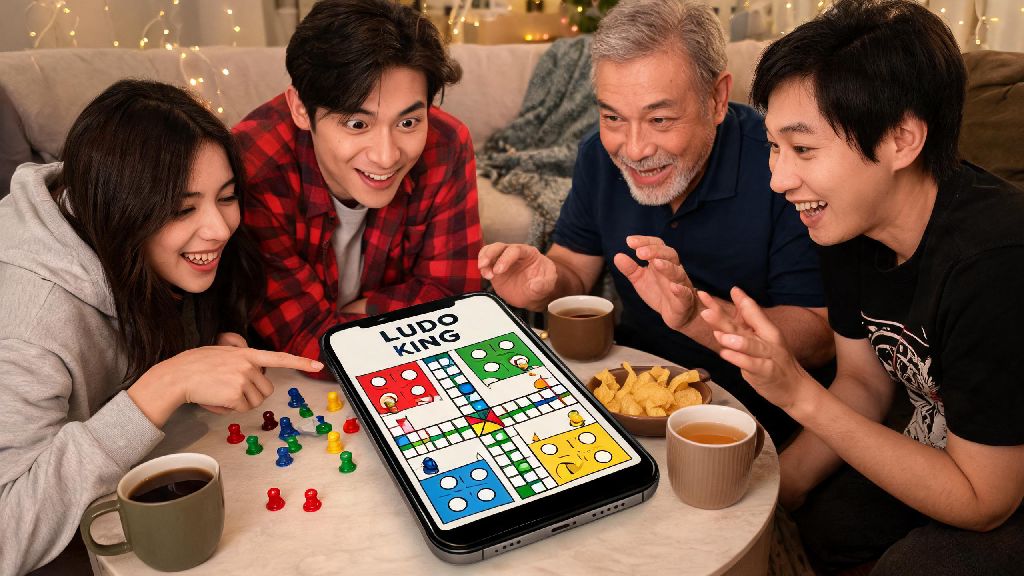
If you’ve ever spent a boring commute or lazy Sunday scrolling for casual games to play with your long-distance friends, you’ve probably come across Ludo King. The classic board game adaptation has taken over casual mobile gaming for its simple rules and cross-platform support, so it’s no wonder so many new players search for how to play with friend in ludo king when they first download the app. Unlike random public matches, playing with people you know turns every dice roll and token knock into a playful fight, and you don’t have to deal with random players dropping out mid-game either. I’ve been hosting weekly Ludo King nights with my college friend group for two years, so I’ve worked through every glitch and confusing setting you might run into when setting up a private match.
How to Play with Friends in Ludo King: Step-by-Step Private Match Setup
If you’re setting up a match for the first time, don’t stress about getting everything perfect right away. The process is surprisingly straightforward once you know where to look for the right menus. First, open the app and skip past all the ad pop-ups and tournament announcements to get to the main menu. Always pick the “Private Multiplayer” option instead of public matches because public ones will fill with random players before your friends can join, even if you set a player limit.
Next, select how many people will be playing – you can choose 2, 3, or 4 player modes, depending on how many friends want to join. You can also toggle custom rules here, like whether you get an extra roll for rolling a 6, if tokens are safe on their starting spots, or if you can knock other players’ tokens. Double check that you’ve selected the correct rule set before generating the code because you can’t change settings once the room is created, and you don’t want to deal with complaints halfway through a match. The app will generate a 4 or 6 digit room code that you can share with anyone you want to join, and the room stays open for 10 minutes before it expires if no one joins. It works across Android, iOS, and even the desktop version of the game, so no one gets left out just because they have a different type of phone.
Different Ways to Invite Friends to Your Ludo King Match
Room codes aren’t the only way to get your friends into a match, and each method has its own pros and cons depending on who you’re playing with. I’ve tested all of them with my friend group, so I can tell you exactly which ones work best for different situations:
I usually stick to room codes for my friend group, because half of us refuse to give apps access to our contact lists, and we don’t want to add 10+ people to our in-game friend lists just for a one-off game. That said, the contact invite option is perfect when I’m playing with my mom and little cousin, who don’t use our college group chat. Once you’ve got the hang of how to play with friends in Ludo King, you can pick the invite method that works best for your group.
Common Issues When Playing Ludo King with Friends (And How to Fix Them)
Even if you follow all the setup steps perfectly, you’ll probably run into a few small issues the first few times you host a match. Most of these are super easy to fix once you know what’s causing them, so you don’t have to cancel game night over a tiny glitch.
The most common issue I see is friends being unable to join a room even with the correct code. This almost always happens because either the room expired after 10 minutes of sitting empty, or someone is running an outdated version of the app. Always make sure everyone updates their Ludo King app to the latest version before trying to join a match to avoid this, and regenerate a new code if the first one sits for more than 5 minutes without anyone joining. If someone’s internet cuts out mid-game, don’t close the room right away – the app gives disconnected players 2 minutes to rejoin with the same code, so most people can get back in before their turn is skipped too many times.
Another issue that has nothing to do with tech is rule disagreements. I once had a friend stop talking to me for 3 days because I knocked their token right before they won, and they claimed we’d agreed no knocking allowed. Agree on all house rules (like whether knocking a friend’s token is allowed) before the game starts to avoid silly fights later, especially if you’re playing for small bets or bragging rights.
Fun Ways to Make Ludo King Friend Matches More Enjoyable
Once you’ve got the basic setup down, you can turn a casual 10 minute game into a weekly activity that everyone looks forward to. My friend group has tried so many different twists over the past two years, and these are the ones that stuck around.
First, use the in-game voice chat feature instead of a separate call app. Use the built-in voice chat feature instead of a separate call app to avoid audio lag or overlapping sounds that mess up your game, and you can mute people if they’re being too annoying when they lose. We also started adding small stakes to our matches to make them more exciting – nothing fancy, just the loser has to send the winner a $5 coffee gift card, or has to pick the movie for our next in-person hangout. We’ve also done silly forfeits, like the loser has to post an embarrassing photo of themselves on their Instagram story for 24 hours.
For bigger groups, you can set up a mini tournament instead of just one match. Split people into pairs for 2v2 games, or do a knockout bracket where the winner of each match moves on to the next round. We did this for a friend’s birthday last year, and we ended up playing for 3 hours straight, even though we’d only planned for one hour. It’s way more fun than you’d think, and even people who don’t usually like Ludo King get competitive when there’s a silly prize on the line.
At the end of the day, Ludo King is only as fun as the people you’re playing with, and knowing how to play with friend in ludo king opens up so many opportunities for casual fun even when you can’t meet up in person. You don’t need any fancy equipment or technical skills to set up a match, and once you work through the first few small kinks, you’ll be hosting regular game nights without any stress. The next time you’re bored and looking for something to do with your friends, send out a room code and see who shows up – you might be surprised how competitive everyone gets over a simple board game.