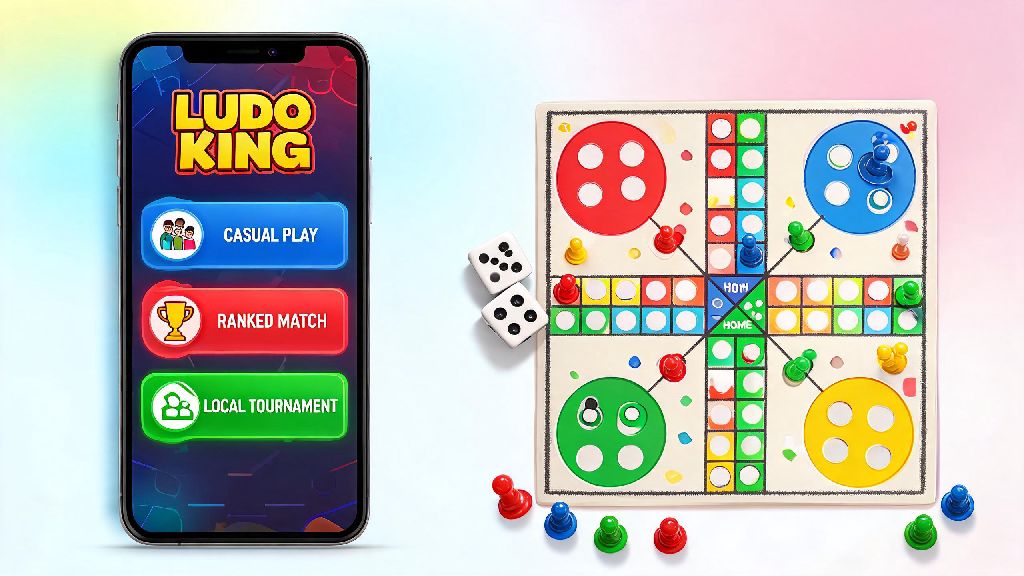
If you’ve downloaded Ludo King after its big 2026 interface refresh and feel overwhelmed by all the new modes, you’re not alone. I’ve been playing the game for 6 years, and even I had to poke around settings for an hour to figure out all the new features when the update dropped in January. This guide breaks down exactly how to use Ludo King for casual play with friends, ranked matches, and even small local tournaments you can host right in the app. It’s written for people who just want to have fun, not grind 10 hours a week for top leaderboard spots.
How to Use Ludo King: Initial Setup and Account Customization for 2026
The first thing you’ll see after downloading the app is a choice between guest play and creating a registered account. I always recommend making a registered account first, even if you only plan to play occasionally. Link your social media accounts first to unlock cross-device sync, a new 2026 feature that lets you pick up a half-finished match on your tablet right where you left off on your phone. You won’t lose your skins or win streak if you upgrade your device later, either.
Next, head to the settings tab to tweak your experience before you join any matches. Adjust your match privacy settings before joining public lobbies if you don’t want random players to send you friend requests or see your full match history. You can also turn off pop-up ads for 10 minutes at a time by watching a 30-second short, a nice middle ground if you don’t want to pay for the ad-free subscription. Take 2 minutes to customize your token too—2026 added 12 new free skin options, from cat-shaped tokens to space-themed dice, so you don’t have to use the default red or blue pieces.
Core Gameplay Modes You Can Access in 2026’s Ludo King Update
One of the biggest changes to Ludo King in 2026 is the expanded mode menu, which now has 8 different play options instead of the old 3. You don’t have to try all of them at once, but these are the four modes I recommend for new players:
If you’re playing with friends who live in different areas, use the private room feature instead of public lobbies. You can create a room with a 4-digit code, and only people with the code can join. 2026 added custom rule options for private rooms too, so you can tweak things like how many 6s you can roll in a row before you lose a turn, or whether you get a bonus roll for knocking an opponent’s token back to their base.
Pro Tips to Win More Matches Without Using Cheats
I see a lot of new players make the mistake of rushing all their tokens out of the base as soon as they roll a 6, but that’s almost always a bad call. Keep at least one piece near your home base until you have two pieces safely in the final stretch—that way you can knock any opponent pieces that get close to your finish line back to their base without risking your own progress. I used this trick to place top 20 in the March 2026 casual tournament, and it’s still the most reliable strategy for new players.
Don’t chase opponent pieces unless you have a clear escape route. It’s tempting to knock someone’s token back if you’re only one roll away, but if your token is left exposed near their base after you hit them, they’ll almost certainly target you right back. That means you lose all the progress you made moving that token across the board for a small temporary win. Save aggressive plays for when your token is within 3 rolls of your finish line, so you can get to safety before they can retaliate.
You also don’t have to play ranked matches if you don’t care about leaderboards. A lot of people get frustrated when they lose to more experienced players, but casual matches don’t affect your win rate or ranking. Play for fun first, and only move up to ranked matches once you’re comfortable with the core rules and feel like testing your skills.
Hidden 2026 Ludo King Features Most Players Miss
The 2026 update added a ton of small quality-of-life features that the dev team didn’t advertise much, so most casual players don’t know they exist. You can turn off dice roll animations to cut 30% off your total match time in the accessibility settings. It makes Flash Ludo even faster, and you won’t have to sit through the slow rolling animation every time someone takes a turn.
Another hidden feature is the skin trading system, added in February 2026. You can trade duplicate token and dice skins with friends, or sell them for in-game coins that you can use to enter premium tournaments without spending real money. You can also earn free coins by leaving a review for the app, or by inviting friends to create an account—each friend who signs up with your referral link gives you 500 free coins, enough to enter two premium casual tournaments.
If you have kids who want to play, turn on the kid-safe mode in settings. It disables all chat features, blocks friend requests from strangers, and only lets them join private rooms or offline matches. It’s free to use, no premium subscription required, and you don’t have to worry about them interacting with random people online.
At the end of the day, learning how to use Ludo King in 2026 doesn’t have to be complicated, even with all the new features added this year. Start with casual Flash Ludo matches to get the hang of the rules, then try team matches with friends once you’re comfortable. You don’t have to grind for top ranks or spend money on skins to have fun—most of my favorite matches are the silly private room games with my college friends where we set ridiculous custom rules. If you run into a feature you don’t understand, you can always check the in-game help center, or play around with settings to see what works best for your play style.